
CreateStudio 4.0 Review: The AI Update, and What It Actually Costs
CreateStudio 4.0 landed with one big change: AI. The drag-and-drop animation software I’ve been using for years now generates entire videos from a text prompt — Shorts, explainers, even video sales letters.
I’ve been through the whole thing. Here’s what’s actually new, what it costs, and the one detail about pricing that trips people up.
Update, September 2026. The video below was recorded when CreateStudio sold a $67 one-time lifetime licence. That offer is gone. CreateStudio is subscription-only now, and the link I use in this post opens a 14-day trial that auto-bills at $47/month. Everything the video shows about how the software works still holds — but I have rewritten the pricing section with today’s figures, and the recommendation changed with it.
The short version
- Already own 3.0? 4.0 is free — but it’s a separate install, not an update.
- The $67 lifetime deal no longer exists. CreateStudio is subscription-only as of September 2026.
- It is now $27/month for Standard, $37 for Platinum, $47 for All Access — or $199, $249 and $299 a year.
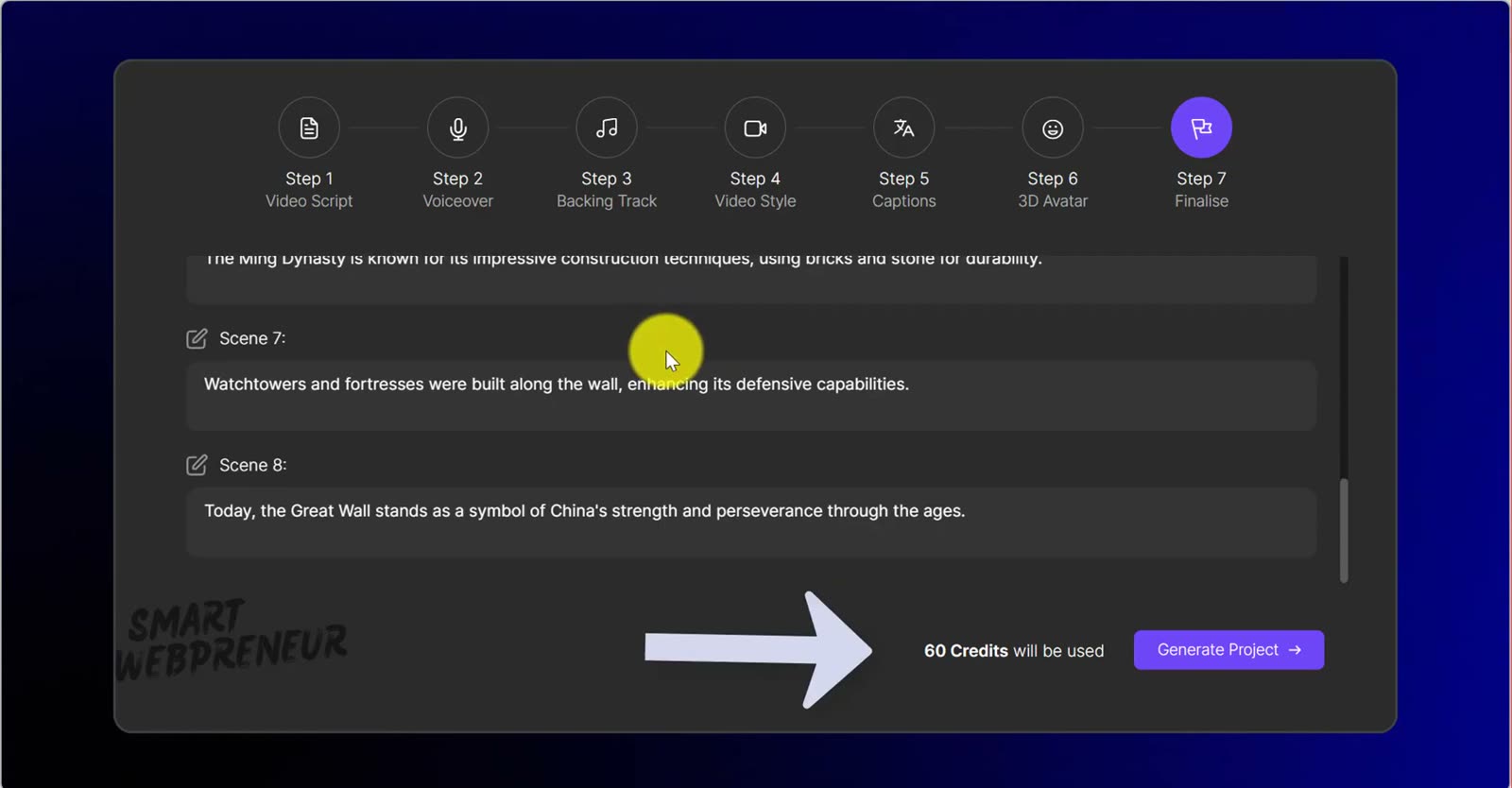
- The AI features run on credits. All Access includes 1,500 a month. One AI Short cost me 60 of them.
Upgrading from 3.0: read this first
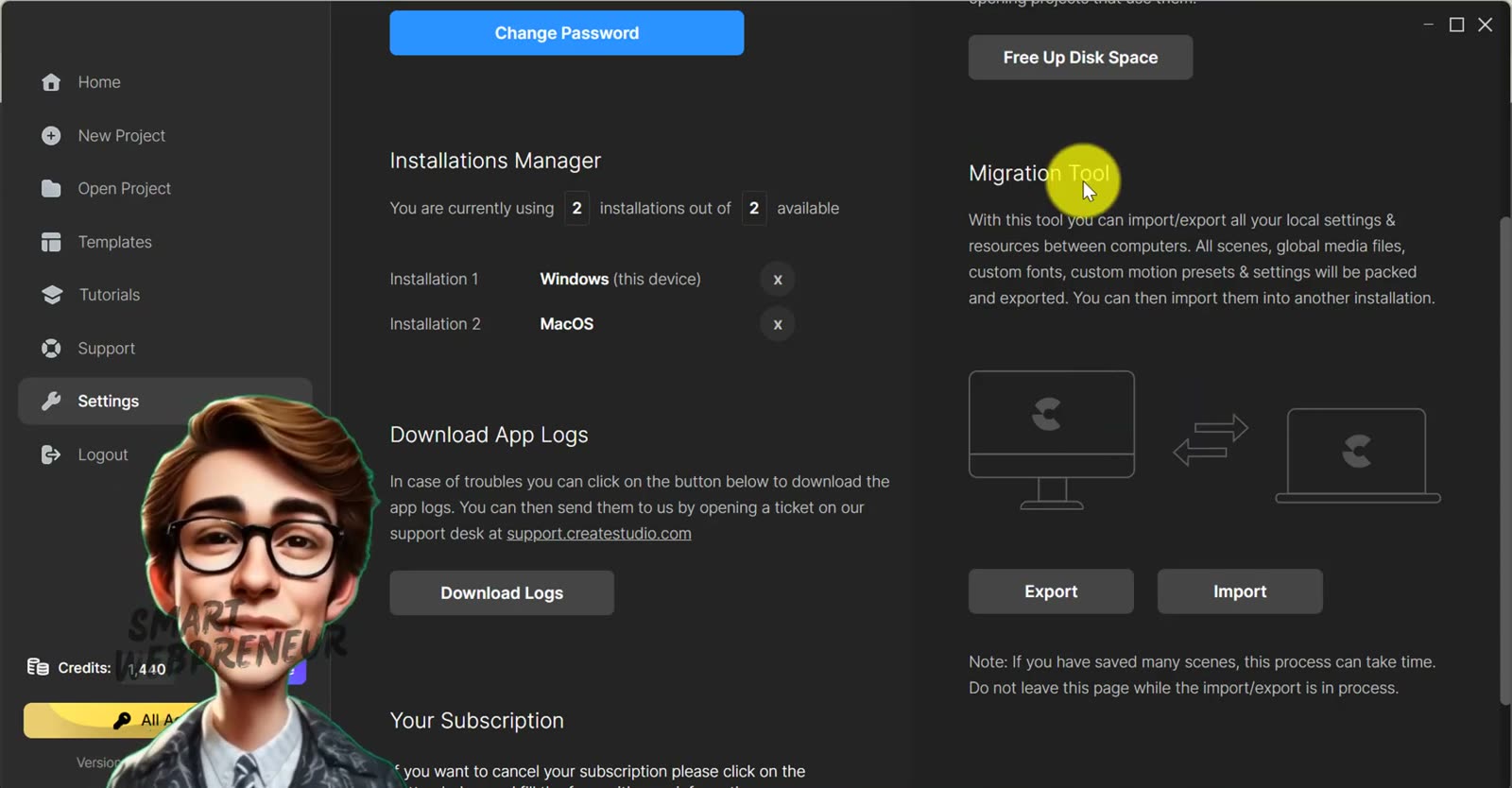
If you already have CreateStudio 3.0, version 4.0 costs you nothing. But it does not update your existing app. You download and install 4.0 separately, and it sits alongside the old one.
Your saved scenes, fonts and presets aren’t stranded — there’s a Migration Tool that brings them across. Run that before you start building anything new, or you’ll rebuild work you already had.
Six ways to start a video
The home screen now offers six starting points, and it shows your licence type and remaining AI credits at a glance. Three of those six are new AI builders.
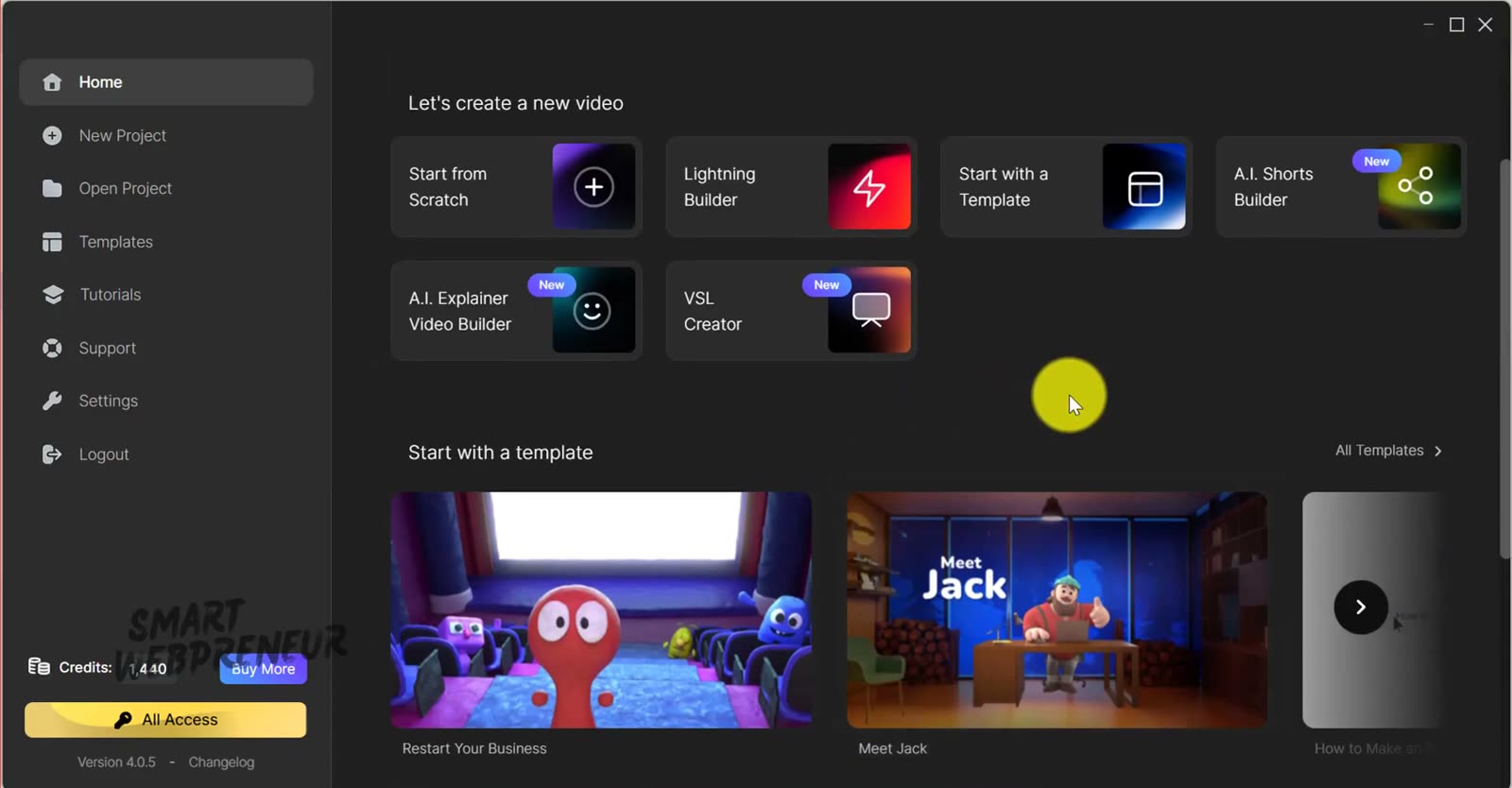
Start from scratch
A blank canvas, and honestly not much has changed here from 3.0 — which is fine, because it already worked. Pick your canvas colour and resolution, or use the presets for Facebook, Instagram, Pinterest and the rest.
You can also choose your interface style: a minimal layout, or a left sidebar. I prefer the sidebar — everything is one click away instead of hidden.
From there it’s the familiar drag-and-drop: scenes, backgrounds, 2D and 3D animated characters, emojis, icons, animated text. Download an asset first, drop it on the canvas, resize it, then assign an action or a whole sequence of actions. The 3D Character Creator is still here too, so you can build a custom character rather than picking from the library.
Lightning Builder
Pick a ratio, pick a video style, then choose which scenes you want and drag them into order. Hit the editor and it downloads everything and assembles the whole thing for you. Choose a music category and it’s built.
From there you scrub the timeline and adjust whatever you like — text, images, colours. It’s the fastest route to something finished if you know roughly what you want.
Templates
Filter by what you’re making: Character Explainers, Promotional Videos, Business Content, YouTube Intros, Logo Stings, Scroll Stoppers. You can also sort by resolution, so if you only want widescreen or only want Reels, you’re not scrolling past things you can’t use.
Double-click a template, hit Start Editing, let it download the assets, then swap the text, images and colours for your own.
The AI toolkit
This is the real reason 4.0 exists. Inside the editor you now get:
- AI text-to-image generator
- AI voice creator
- Background remover
- Text remover — pulls text off an image so you can reuse the background
- Image upscaler
- AI object remover
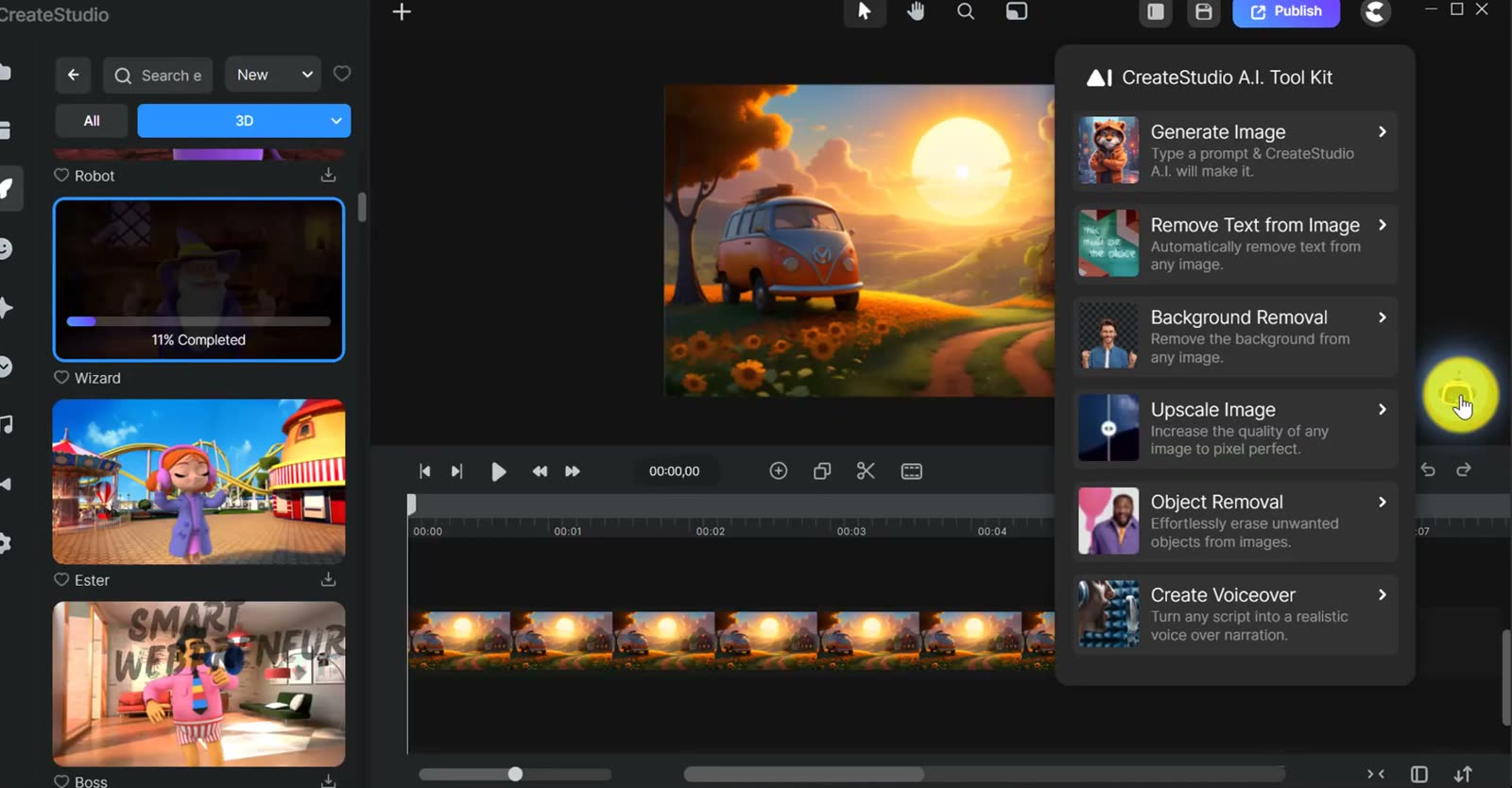
Every one of these spends credits. Keep that in mind as you read the next three sections — the AI builders are where credits go fastest.
AI Shorts Builder
Choose landscape, square or portrait, pick a language, then pick a theme — I used History. Write your prompt, and it’s worth being specific: something like “tell the story of how the first ever photograph was taken, focusing on the challenges and the unexpected discovery, like a documentary snippet” gets you far better output than a two-word topic.
Then you preview voices until one fits, choose music or skip it, and pick a visual style — cinematic, 50s, neon punk, Disney Pixar, hyper-realism, fantasy art. Add a caption style, optionally drop in a 3D avatar, and the AI writes the script. You can edit it before generating.
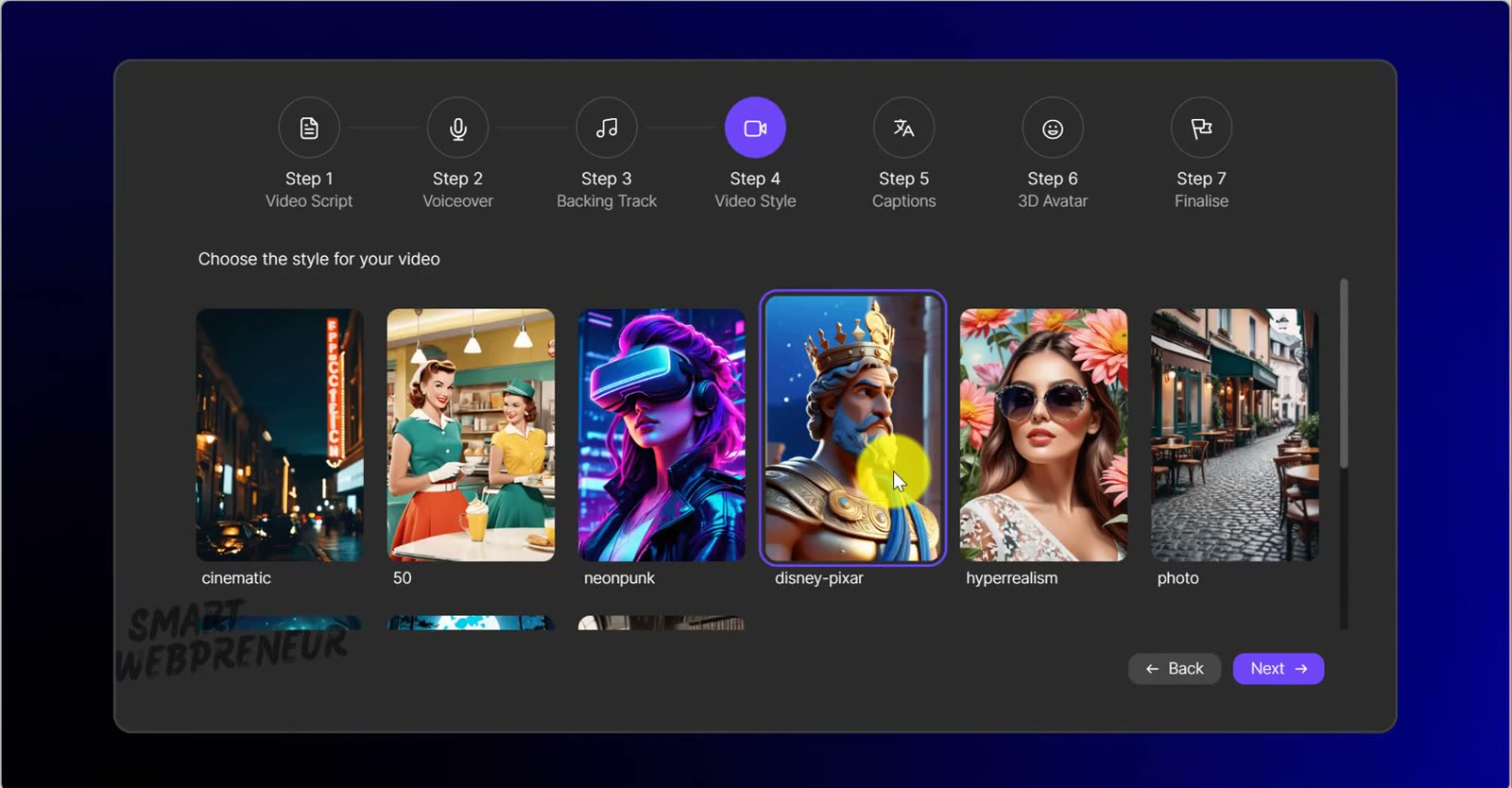
That one video cost 60 credits. On the All-Access Pass allowance of 1,500 a month, that’s roughly 25 AI Shorts before you’re buying more — and that’s before any of the other AI tools touch your balance.
AI Explainer Videos
Much the same flow. Pick a video type — I used Educational — write your prompt, add your channel name, choose a character, music and voiceover. Review the generated script, change what you want, hit generate, and it opens in the editor ready to refine.
VSL Creator
The most interesting of the three, and the one I didn’t expect. Choose a resolution, then answer a few questions — who is your audience, what problem are you solving — and it writes a video sales letter script from your answers. Pick a voiceover, music and a preset style, generate, then edit and publish.
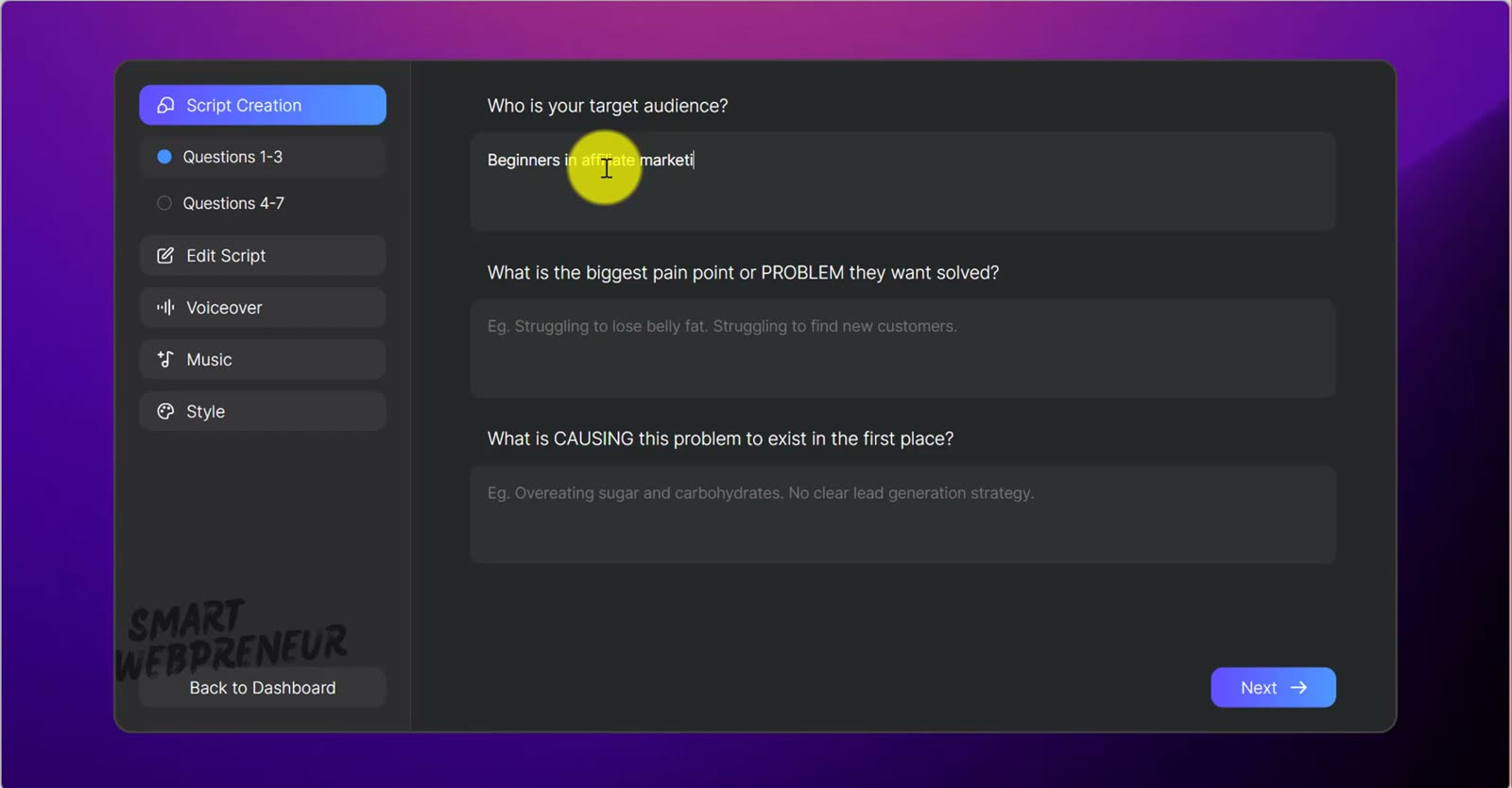
If you’ve ever stared at a blank page trying to script a sales video, this alone might be worth the credits.
Doodle videos and the rest
The doodle effect is still there, so whiteboard-style videos are a drag-and-drop away. Music and transitions work the same way. When you’re done, Publish exports the file to your device.
Pricing, and the catch
When I recorded this, the deal was $67 once for the standard version, owned outright. That is why I bought CreateStudio, and it is why most people reading this bought it. It is no longer on sale. The offer link that used to open it now redirects to a free trial.
As of September 2026, CreateStudio is a subscription with three tiers: Standard at $27/month or $199/year, Platinum at $37/month or $249/year, and the All Access Pass at $47/month or $299/year. The trial runs 14 days and auto-bills to All Access at $47/month on day 15 — set a reminder if you are only testing.
The credit system itself works exactly as the video shows. All Access includes 1,500 AI credits a month, which at roughly 60 credits per AI Short is about 25 shorts before you are buying more. CreateStudio does not publish a credit allowance for Standard or Platinum, so if the AI is the reason you are here, All Access is the tier to price against. Credits bought separately from the store still don’t expire, which softens it if you work in bursts.
So the honest framing has changed with the price. You cannot buy CreateStudio outright any more. Judge it as a monthly video tool against the other monthly video tools — not as a cheap one-time animation purchase that happens to have AI attached. That is a different decision, and a much closer one.
Who this is for
Worth it if you already hold a 3.0 lifetime licence. 4.0 is free to you, and that licence is worth considerably more now than it was when I recorded this — everyone arriving today pays monthly, and you don’t. Take it.
Think harder if you are coming to this fresh. At $47/month for the tier the AI is actually specified against, CreateStudio is no longer the cheap one-time animation tool it built its reputation on. Work out how many videos a month you would genuinely make, multiply by roughly 60 credits each, and compare that against a dedicated AI video tool at the same monthly price. For a lot of people, that maths now points somewhere else.
My verdict
4.0 isn’t a routine update — the AI builders genuinely change what you can do in an afternoon, and the VSL creator solves a problem I didn’t know I wanted solved. The core editor is as approachable as it always was, and the 3D Character Creator remains the thing that sets CreateStudio apart from cheaper animation tools.
Just go in knowing what you are buying now. At $67 once, this was an easy recommendation almost regardless of the AI — you owned a capable animation tool outright and everything else was upside. As a $47/month subscription it competes on the same terms as everything else you rent, and that is a genuinely closer call. The 3D Character Creator is still the thing nothing else does as well. You are only renting it now.
Where to get it
CreateStudio sells by subscription now. The link below opens a 14-day free trial that auto-bills to the All Access Pass at $47/month on day 15. If you already own a 3.0 lifetime licence, do not start a trial — just log in with your existing account, because 4.0 is included free.
Check the current CreateStudio price →
That’s an affiliate link — if you buy through it I earn a commission at no extra cost to you. I bought CreateStudio myself and use it on real projects; the commission doesn’t change what I’ve written above. Prices and credit allowances change, so check the current figures on the official site before buying.


